Contact Communications
Access all communication history with a contact from their profile. The contact card provides dedicated tabs for each channel.
Texts Tab
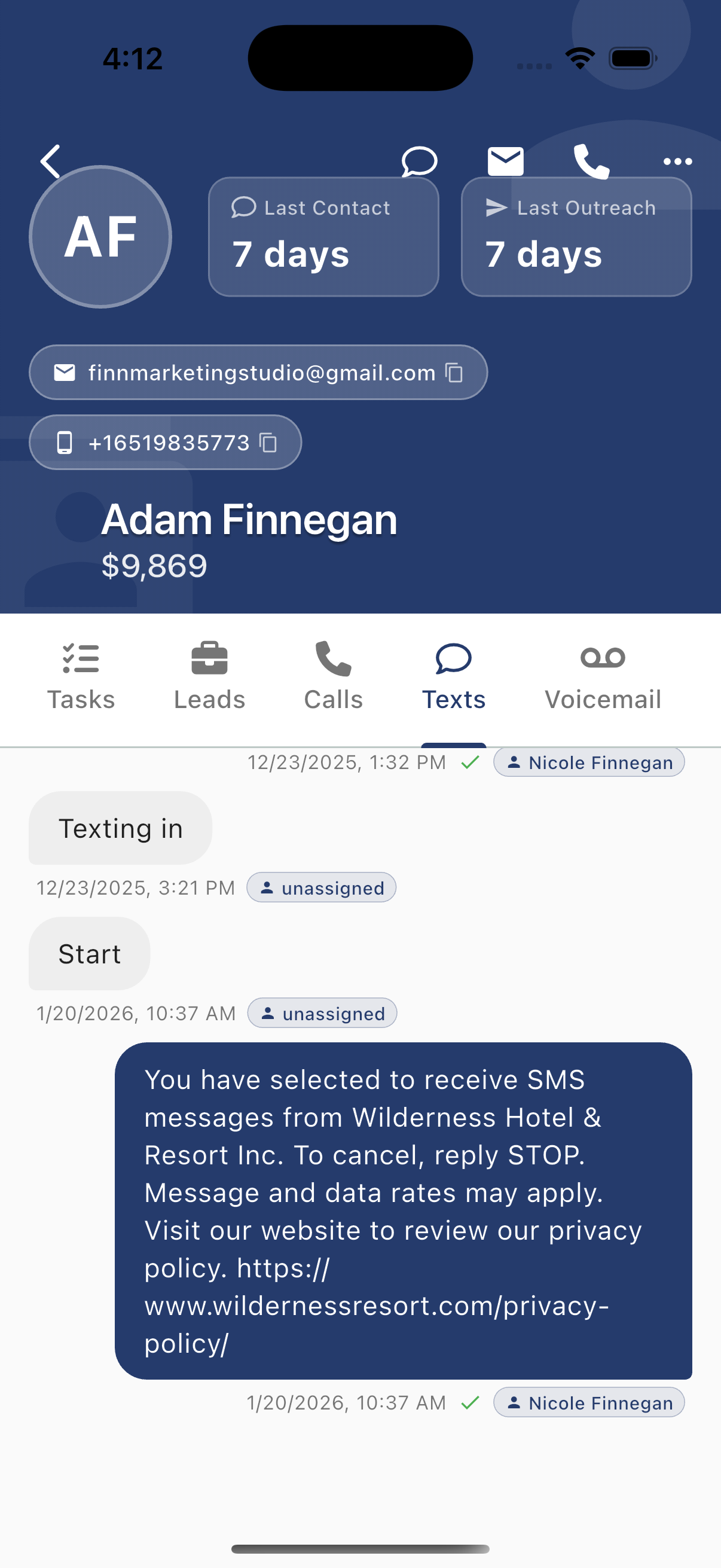
View the complete SMS conversation history:
- Inbound messages - Messages from the contact (left side, light background)
- Outbound messages - Messages you sent (right side, dark background)
- Timestamps - When each message was sent
- Agent attribution - Which team member sent each message
- Delivery status - Checkmarks indicate delivered messages
Message Details
Each message shows:
- Date and time
- Assigned agent (or "unassigned")
- Delivery confirmation
Taking Action
From the Texts tab you can:
- Scroll through full conversation history
- Tap messages to access message actions
- Use the header icons to send a new text
Emails Tab
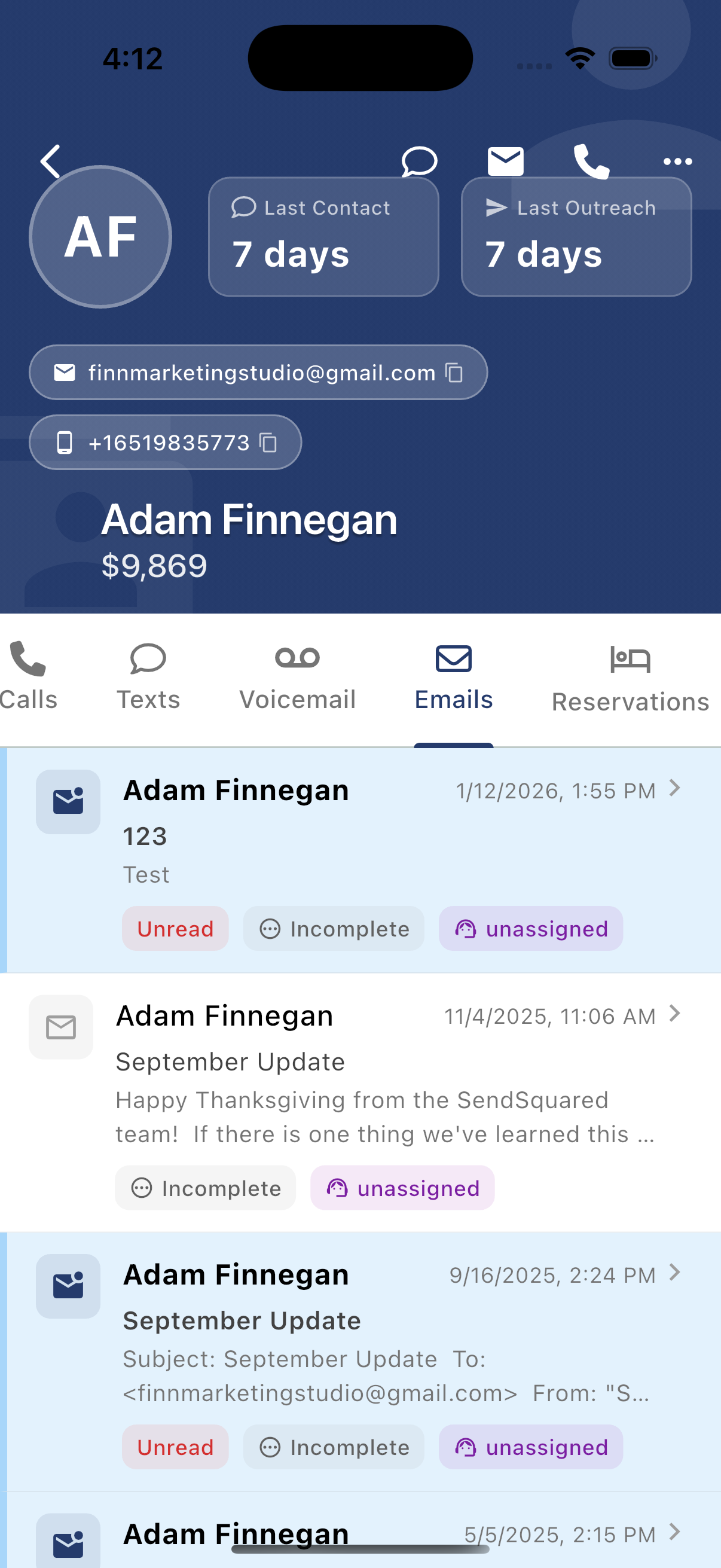
View all email correspondence:
Email List
Each email shows:
- Contact name
- Subject line
- Preview text
- Date/time
- Status tags:
Unread(red) - Not yet readIncomplete- Needs follow-upunassigned(teal) - No agent assigned
Email Types
Different icons indicate email direction:
- Filled envelope - Inbound email
- Envelope with arrow - Outbound email
Taking Action
Tap any email to:
- View full content
- Reply
- Assign to team member
- Mark as read/complete
Calls Tab
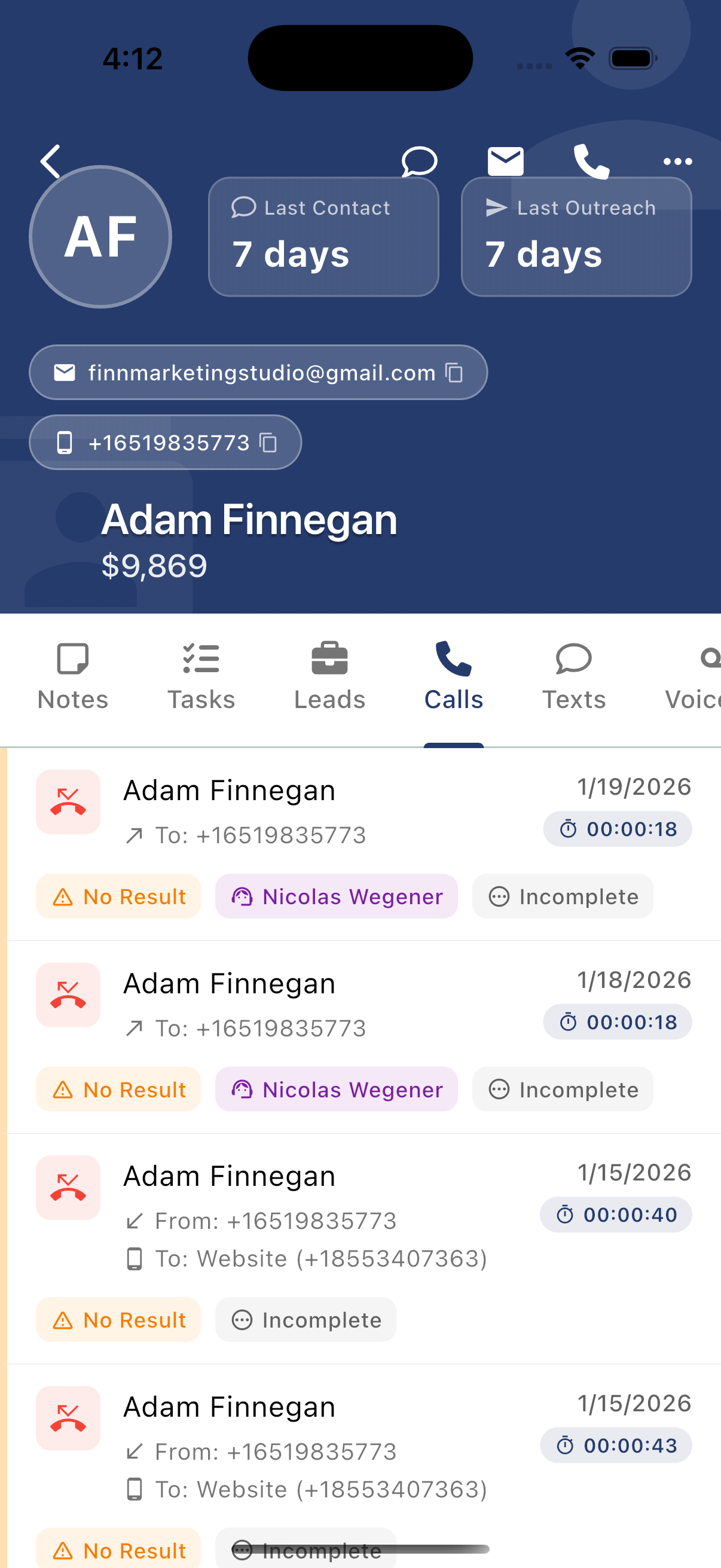
View complete call history:
Call Records
Each call displays:
- Contact name
- Direction - "To:" (outbound) or "From:" (inbound)
- Phone number - Number dialed or received from
- Date
- Duration - Call length (e.g., 00:00:18)
- Status tags:
No Result(red) - Call didn't connect or no outcome- Agent name (teal) - Who handled the call
Incomplete- Needs follow-up
Call Icons
- Red phone with X - Missed or failed call
- Green phone - Connected call
Accessing Recordings
Tap a call to:
- Play call recording (if available)
- View call notes
- Add disposition
Voicemail Tab
Access voicemail messages left by this contact:
- Play voicemail recordings
- View transcriptions (if available)
- See timestamp and duration
- Mark as heard/actioned
Cross-Channel Communication
The Contact Card gives you a complete picture of all interactions:
| Channel | What You'll See |
|---|---|
| Texts | Full SMS thread history |
| Emails | All email correspondence |
| Calls | Inbound/outbound call log with duration |
| Voicemail | Messages left when calls weren't answered |
This unified view ensures you never miss context when communicating with a guest, regardless of which channel they used previously.