Contacts
The Contact Card is the central hub that connects all information about a guest or contact. From a single view, you can access their communication history, reservations, tasks, leads, notes, and more.
Accessing Contacts
Find contacts through:
- Search - Use global search to find contacts by name, email, or phone
- Conversations - Tap a contact name in any conversation
- Leads - Tap the contact linked to a lead
- Reservations - Tap the guest name on a reservation
Contact Card Header
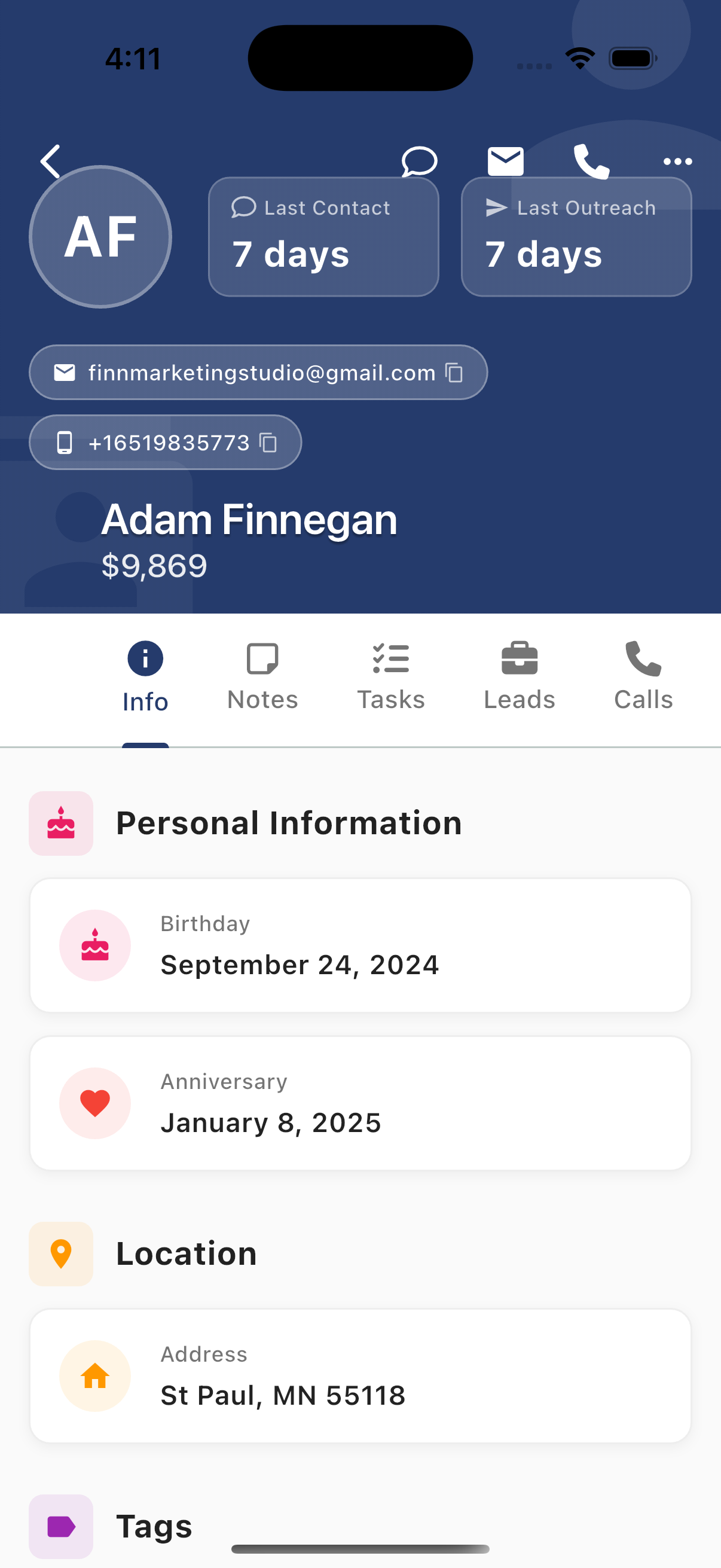
Header Information
The header displays key information at a glance:
| Element | Description |
|---|---|
| Avatar | Contact initials or photo |
| Last Contact | Days since last inbound message |
| Last Outreach | Days since last outbound message |
| Email address (tap to copy) | |
| Phone | Phone number (tap to copy) |
| Name | Contact's full name |
| Value | Lifetime value (total revenue) |
Quick Action Icons
Icons in the header provide instant access to communication:
| Icon | Action |
|---|---|
| Message bubble | Open SMS conversation |
| Envelope | Compose email |
| Phone | Make a call |
| Three dots | More options menu |
Contact Tabs
The contact card uses a horizontally scrollable tab bar to organize all related information:
| Tab | Icon | Content |
|---|---|---|
| Info | (i) | Personal info, activity metrics, communication preferences, tags |
| Notes | Chat bubble | Internal notes about the contact |
| Tasks | Checklist | Tasks linked to this contact |
| Leads | Briefcase | Sales leads for this contact |
| Calls | Phone | Call history and recordings |
| Texts | Message bubble | SMS conversation history |
| Voicemail | Voicemail icon | Voicemail messages |
| Emails | Envelope | Email history |
| Reservations | Calendar | Booking history |
| Surveys | Clipboard | Survey responses |
The Contact as a Central Hub
The Contact Card is the 360° view that connects every feature in SendSquared:

The Complete 360° View:
| Tab | What It Shows | Why It Matters |
|---|---|---|
| Info | Personal details, birthday, location, tags, activity stats, preferences | Know your guest before every interaction |
| Notes | Internal team notes and comments | Shared knowledge never gets lost |
| Tasks | Follow-ups, to-dos, action items | Nothing falls through the cracks |
| Leads | Sales opportunities, pipeline status | Track conversion and revenue potential |
| Calls | Call history, duration, recordings, outcomes | Complete phone interaction log |
| Texts | Full SMS conversation history | Every text message in one place |
| Voicemail | Voice messages left by contact | Never miss a message |
| Emails | All email correspondence | Full email thread history |
| Reservations | Booking history, dates, revenue | Understand guest value and patterns |
| Surveys | Feedback, NPS, satisfaction scores | Know how guests feel |
How It All Connects:
- Open a Conversation → Tap contact name → Full Contact Card
- View a Reservation → Tap guest name → See all their history
- Working a Lead → Tap contact → Review past interactions
- Complete a Task → It's logged in the contact's history
Every action in SendSquared links back to the Contact Card, ensuring your team always has complete context.
Quick Reference
- Info Tab - Personal details, activity metrics, preferences, tags
- Communications - Texts, Emails, Calls, Voicemail
- Activity - Notes, Tasks, Leads, Reservations