Conversation Header
Tap any conversation to open the full thread view where you can read messages, respond, and take actions.
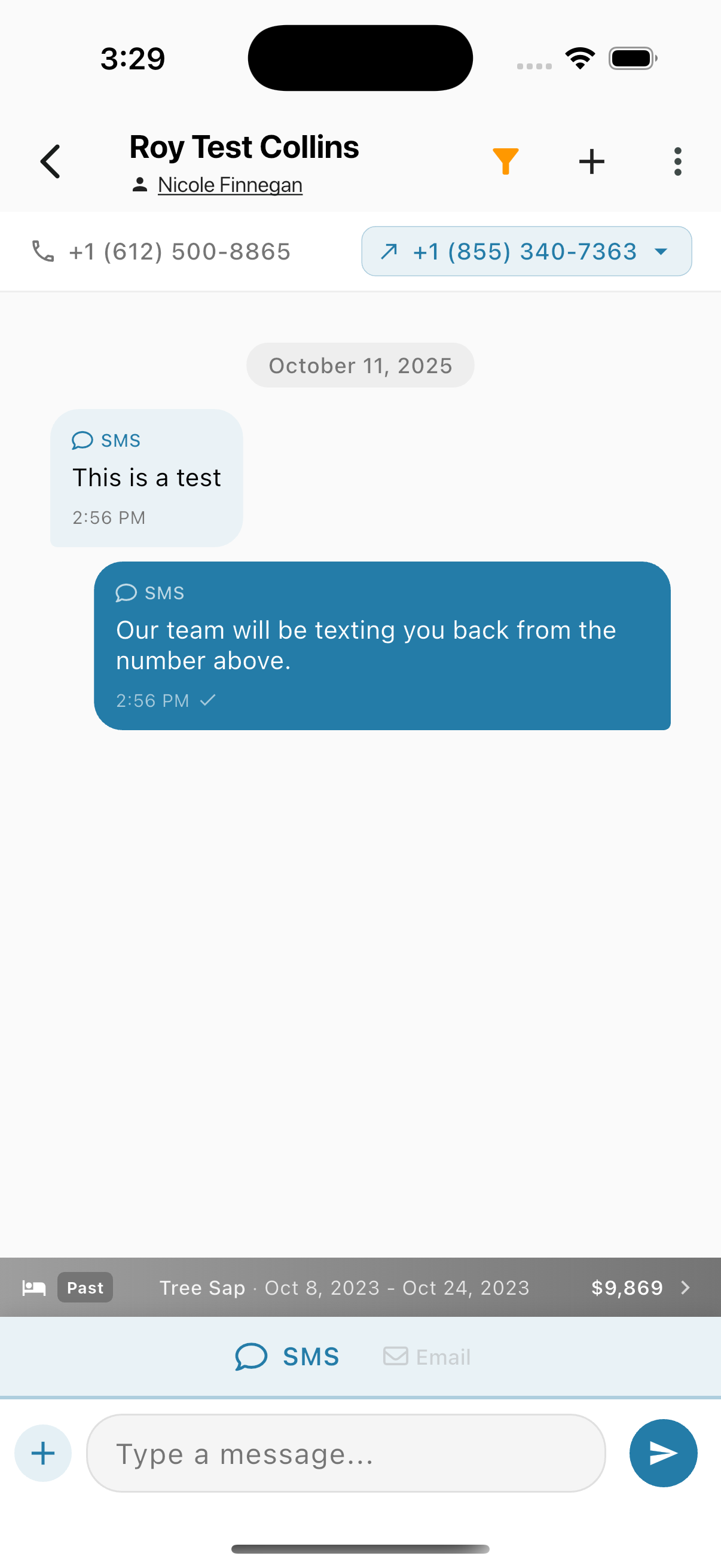
The header displays:
- Contact name - The person you're communicating with
- Assigned agent - Who owns this conversation (tap to view profile)
- Contact info - Phone number or email address
- Outbound selector - Choose which number/email to send from
Toolbar
The toolbar contains the following actions:
| Icon | Action |
|---|---|
| + (Plus) | Expand additional toolbar toggles |
| Filter (funnel) | Filter messages by channel |
| Three-dot menu | More options |
Plus Toggles
Tap the + icon to reveal three additional toolbar buttons:

| Icon | Action |
|---|---|
| Star | Favorite/flag this contact |
| Chart | Open the View Selector to switch between Timeline, Tasks, Notes, and History |
| Refresh | Reload the conversation |
Filter by Channel
Tap the filter icon to open the channel filter sheet:
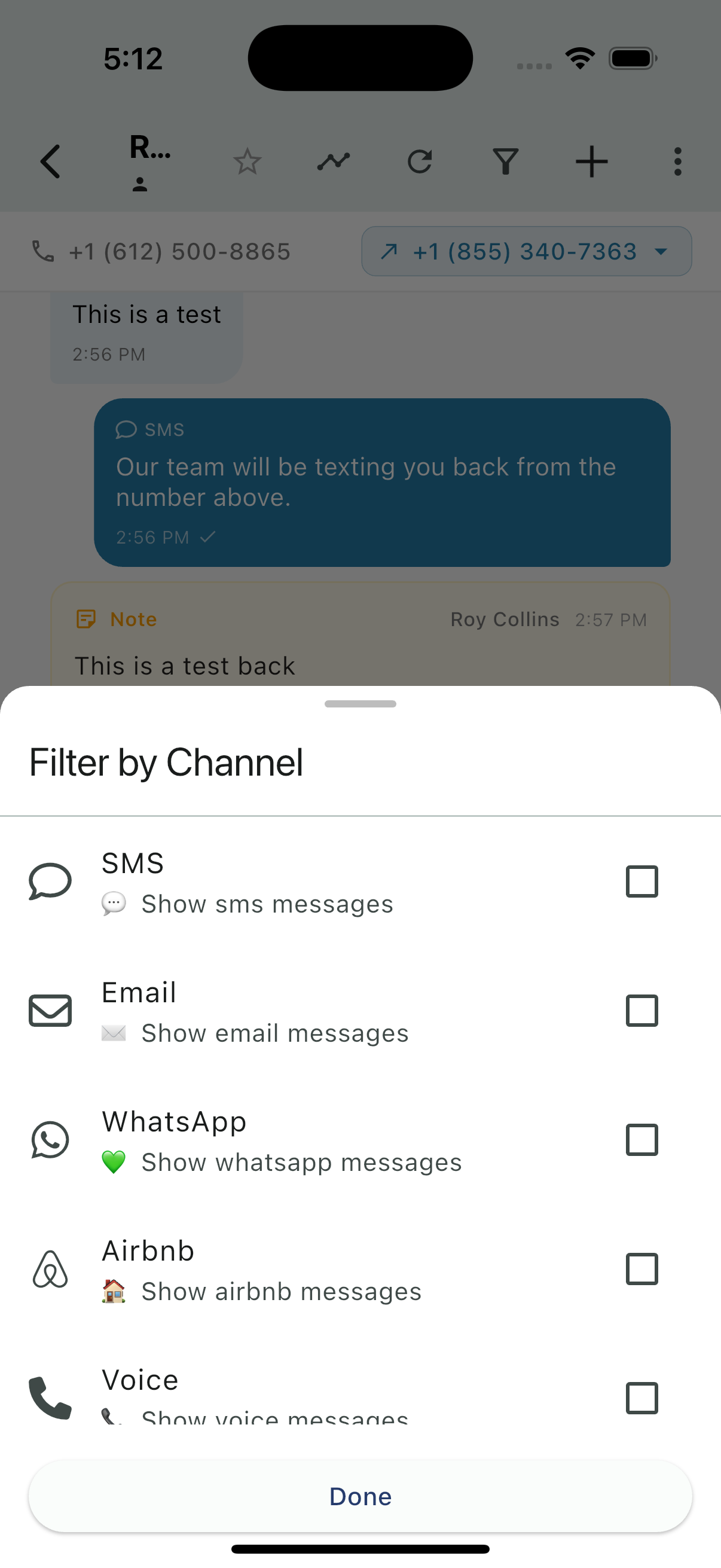
Select one or more channels to filter the conversation view:
- SMS - Show SMS messages
- Email - Show email messages
- WhatsApp - Show WhatsApp messages
- Airbnb - Show Airbnb messages
- Voice - Show voice messages
Tap Done to apply the filter.